XmasPhotoAI
AI family Christmas photos
Give a photo of your family a festive setting without organizing another photoshoot. Upload one image with everyone already together, then check your free watermarked Christmas portrait.
Create my free previewStart with everyone in one photo
XmasPhotoAI transforms one uploaded image. Choose a family photo that already includes the people you want in the portrait. You do not need matching Christmas outfits or a decorated room in the original.
The upload flow does not combine separate photos of relatives. If someone is missing, choose a different group photo rather than expecting the AI to add them.
Choose a family photo with clear faces
- Look for even lighting across the group. Avoid a bright window behind everyone or deep shadows over faces.
- Use an image where each face is large enough to see. A distant group shot gives the generator less detail than a closer portrait.
- Keep faces unobstructed by sunglasses, hands, or another person. Check the original at full size before uploading.
- Choose the expression you want to keep. A clear everyday snapshot can be a better starting point than a blurry formal photo.
Upload a JPG, PNG, or WebP file up to 10MB. Use only photos you have permission to upload, including permission from the people pictured or their parent or guardian.
A couple portrait, before and after
This example shows two people from an existing photo reimagined in a Christmas scene. It illustrates the transformation; it does not guarantee how a larger family portrait will look.
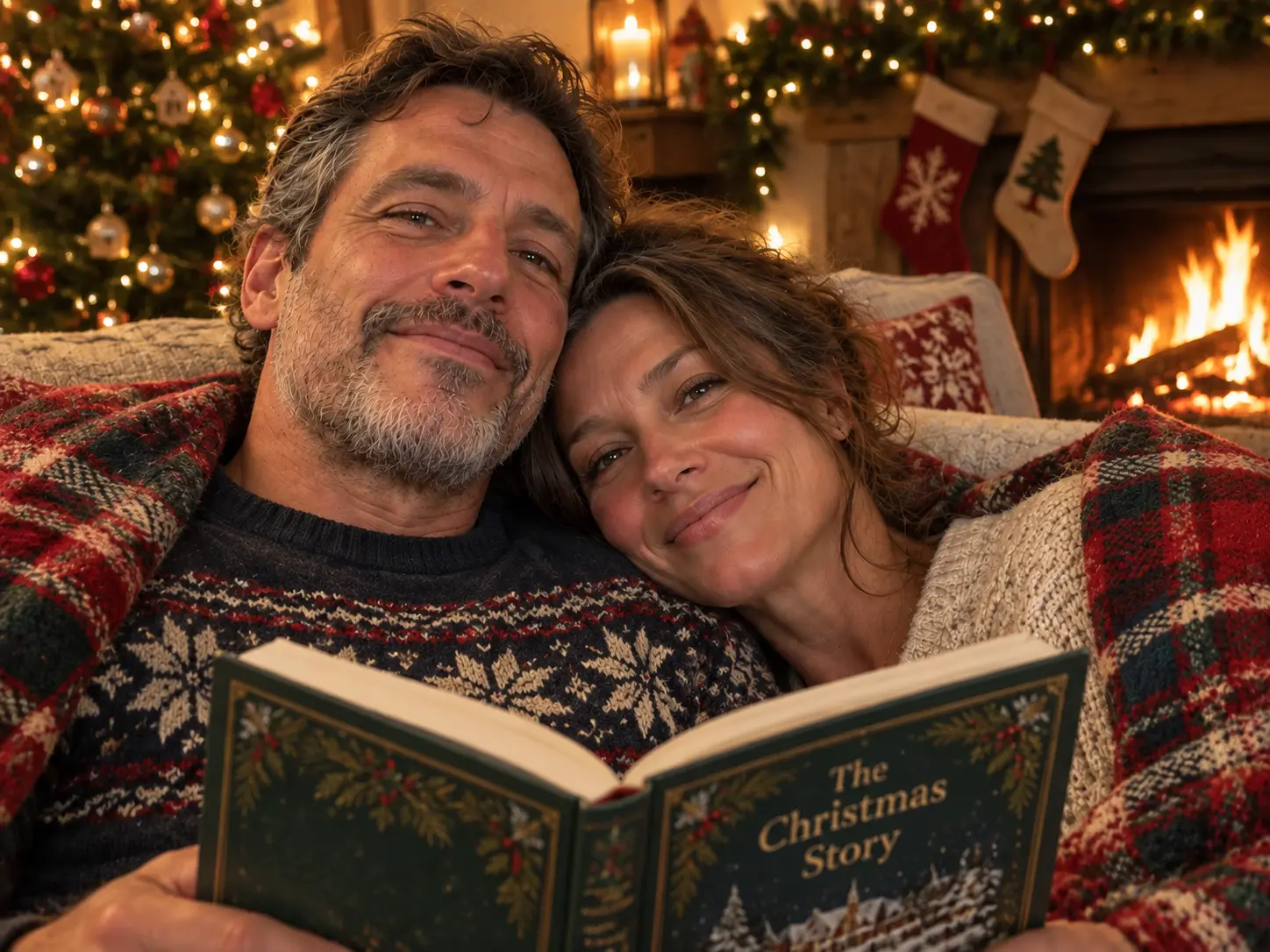

Check every person in the free preview
AI can change faces, ages, expressions, hands, or the number of people. Look at each family member individually before deciding whether to buy the premium collection. Results with more people can be harder to keep consistent.
One watermarked portrait is free to download. The optional $5.99 collection includes 20 HD scenes without watermarks, paid once. Creation can take several minutes; keep the page open while scenes are being made.
Use your portrait for a holiday card
Download a favorite, inspect it at full size, and add it to a card layout in your preferred editor. Leave room for a greeting and check the printer’s crop and resolution requirements. XmasPhotoAI supplies image files, not printed cards.
Follow our guide to Christmas card photos with AI, see more Christmas photo examples, or read photo privacy details before uploading.